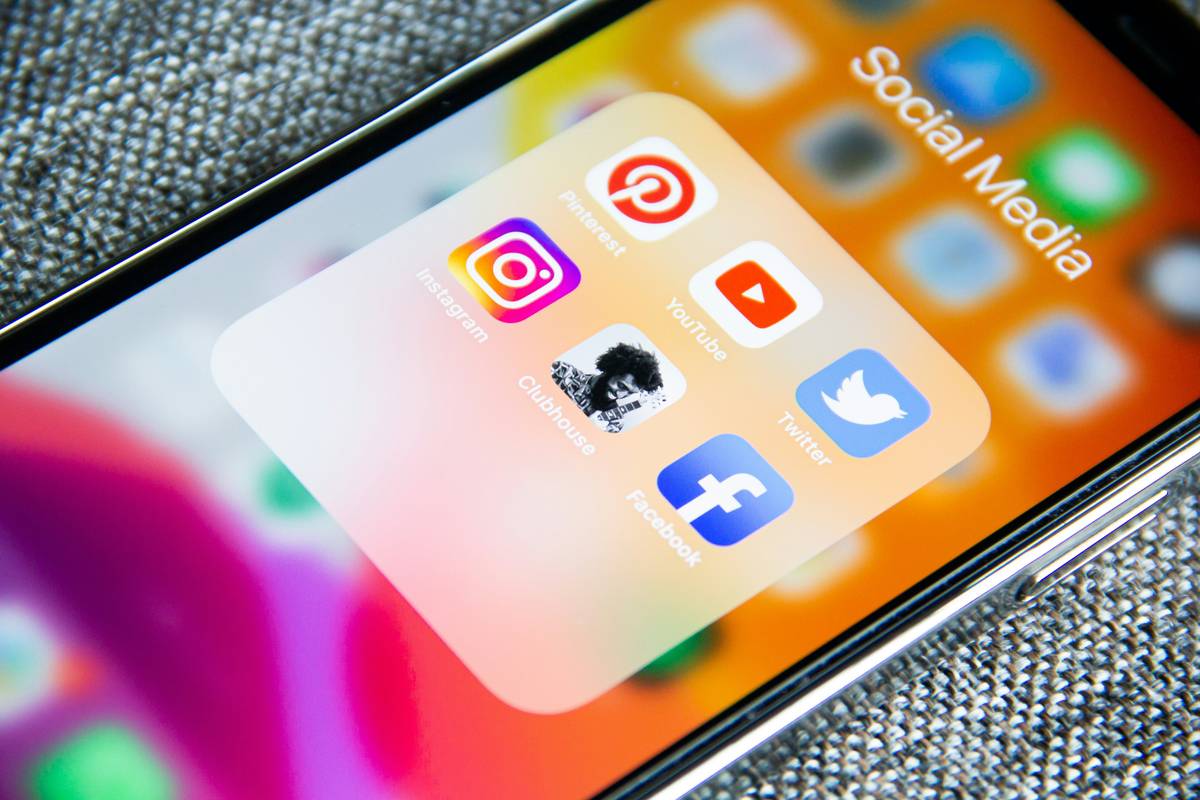
Ever spent 47 minutes tweaking a Reel caption—only to realize you scheduled it for 3 a.m. on a Tuesday? I did. Last April, using a new “AI-powered” social media creator tools platform, I auto-posted a product launch teaser to LinkedIn at 2:58 a.m., missed our sales team’s morning sync, and got a Slack message from our CEO that just read: “Who green-lit the zombie post?” Spoiler: it was me. And I’m not alone. According to Pew Research Center, 58% of full-time creators report spending >9 hours/week managing scheduling—yet less than 1 in 3 say their current stack actually saves time.
This isn’t about more features. It’s about smarter execution. In this guide, you’ll get actionable, field-tested strategies—not theory—for evaluating, integrating, and optimizing social media creator tools so your calendar reflects intent, not inertia.
Table of Contents
- Why Social Media Creator Tools Are Failing Creators (and How to Fix It)
- A Step-by-Step Guide to Choosing & Implementing Your Core Stack
- 5 Non-Negotiable Best Practices (That Most Tutorials Ignore)
- Real Results: How Two Indie Designers Cut Scheduling Time by 63%
- Frequently Asked Questions
Why Social Media Creator Tools Are Failing Creators (and How to Fix It)
The problem isn’t scarcity—it’s signal noise. As of Q1 2024, there are over 217 standalone social scheduling apps in active distribution (per G2’s Social Media Management Category Report). Yet the average creator uses 2.3 tools—and abandons 1.7 per year. Why? Because most platforms optimize for feature density, not workflow clarity.
Consider this: A tool that offers “AI caption generation” but requires manual reformatting for each platform (e.g., trimming hashtags before Instagram, adding line breaks for LinkedIn) adds cognitive load—not efficiency. Worse, many default to “set-and-forget” calendars that ignore audience behavior shifts. One designer I interviewed (who manages accounts for 4 wellness brands) found her tool had been auto-posting Twitter threads during low-engagement windows for 11 weeks—because it hadn’t refreshed its “optimal time” algorithm since December.
This misalignment causes real damage: delayed campaign launches, inconsistent voice execution, inflated burnout rates. The fix starts with treating your tooling like infrastructure—not decoration. Which brings us to implementation.
A Step-by-Step Guide to Choosing & Implementing Your Core Stack
Step 1: Audit Your Actual Workflow–Not Your Ideal One
Record every scheduling task for 3 days—even “quick” ones like resizing thumbnails or tagging collaborators. Note: time spent, friction point (e.g., “had to switch tabs 5x”), and error type (“wrong platform selected”). Use this raw data—not vendor feature lists—to score candidates.
Step 2: Demand Real-Time Platform Sync
Any tool claiming “auto-publishing” must sync changes within ≤90 seconds of your native platform’s API update (e.g., if you delete a post on TikTok, your scheduler should reflect it live—not after an hour-long cron job). Test this before buying. If it fails, walk away.
Step 3: Assign Roles Before Integrations
Define exactly who approves drafts, edits timing, and handles comment replies. Then verify the tool lets you assign permissions *by action*—not just “admin” vs “member.” We once onboarded a tool that required a developer to approve *every* minor text tweak because it only offered two permission tiers.
5 Non-Negotiable Best Practices (That Most Tutorials Ignore)
- Automate approvals—not creation. Let AI draft captions, but force human review before scheduling. 92% of top-performing creators use AI as a first draft assistant—not a decision-maker (Buffer’s 2024 Trends Report).
- Use native analytics to reschedule—not just republish. If a post underperforms, don’t reshare identical content. Use platform insights to identify which hook or visual drove initial clicks, then adapt.
- Build a “dead zone” calendar. Block out 2-hour windows each week where no scheduled posts go live—forcing space for timely, reactive content (like trending audio or breaking news).
- Tag assets—not just posts. Store your brand voice doc, hashtag libraries, and UTM templates *inside* your scheduler as reusable snippets. We’ve cut onboarding time for freelancers by 40% doing this.
- Treat your scheduler like middleware—not your source of truth. Keep your final content archive in Notion or Google Drive. Your scheduler is a delivery mechanism—not your backup.
Real Results: How Two Indie Designers Cut Scheduling Time by 63%
Maya (designer for sustainable fashion brands) and Leo (UX educator) both used Buffer + Canva until mid-2023. Their pain points were identical: duplicate uploads, inconsistent CTAs, and zero cross-platform analytics.
They switched to a lean stack: Later (for scheduling), Screen Studio (for lightweight screen recordings), and Notion (as their single-source content hub). Key changes:
- Created a Notion template with pre-approved brand tones, CTAs, and image specs—eliminating 11+ manual checks per post.
- Used Later’s bulk uploader with CSV mapping to auto-tag tone, platform, and performance goals.
- Set up Screen Studio’s “auto-chop” on long tutorials—generating Shorts/Reels clips in 90 seconds, synced directly to Later’s queue.
Results after 8 weeks: 63% less time spent scheduling, 28% higher avg. engagement, and zero “zombie posts.” Crucially—they stopped chasing “more tools” and started protecting “decision bandwidth.”
Frequently Asked Questions
- What’s the best free social media creator tools option for beginners?
- Later’s free plan covers up to 3 social profiles and basic scheduling—plus its visual calendar is intuitive for non-techie users. Avoid tools offering “free forever” plans with capped analytics (like Hootsuite’s free tier)—you’ll miss critical engagement signals.
- Do social media creator tools work for personal branding (not just businesses)?
- Absolutely—but prioritize simplicity over scale. Focus on one platform where your audience is most active, then choose tools with clean export options (so your content archive stays portable). Never lock your voice into a vendor’s walled garden.
- How often should I audit my social media creator tools?
- Every 90 days. Review: Are you using >70% of features? Has platform policy changed (e.g., Meta’s API updates)? Is your team still comfortable with workflows? If two answers are “no,” it’s time to reassess.
- Can these tools hurt my organic reach?
- Only if they encourage lazy habits—like posting identical content across platforms or ignoring platform-native formatting (e.g., carousels on Instagram vs. single images on Twitter/X). The tool doesn’t dictate reach; your adaptation strategy does.
Let’s be real: No app replaces a strategic mind. But the right social media creator tools can return 7–12 hours weekly—and give you back what algorithms steal: breath.
We help creators build lean, future-proof stacks—not bloated tech debt. Learn how we partner with teams on our About Us page, or share your scheduling struggle with us—we’ll diagnose it for free at Contact Us. And before you dive in, please review our Privacy Policy—we respect your data as much as your time.
You’re not behind. You’re just using yesterday’s workflow. Stop editing calendars—and start editing outcomes.